The EUDI badge
A blue EUDI badge next to the name. The page draws it from what the server checked – a manipulated video stream cannot draw it.
Video meetings · EUDI Wallet · Deepfake protection
Anyone can fake a name, a face or a voice. Nobody can fake your EUDI Wallet. In CodeB meetings, people who sign in with the EUDI Wallet get a verified EUDI badge with the name from their identity – and anyone in the call can ask them to confirm again, live, with their wallet.
Browser meetings · No app for guests · EUDI Wallet (PID) · EU-hosted, your own tenant
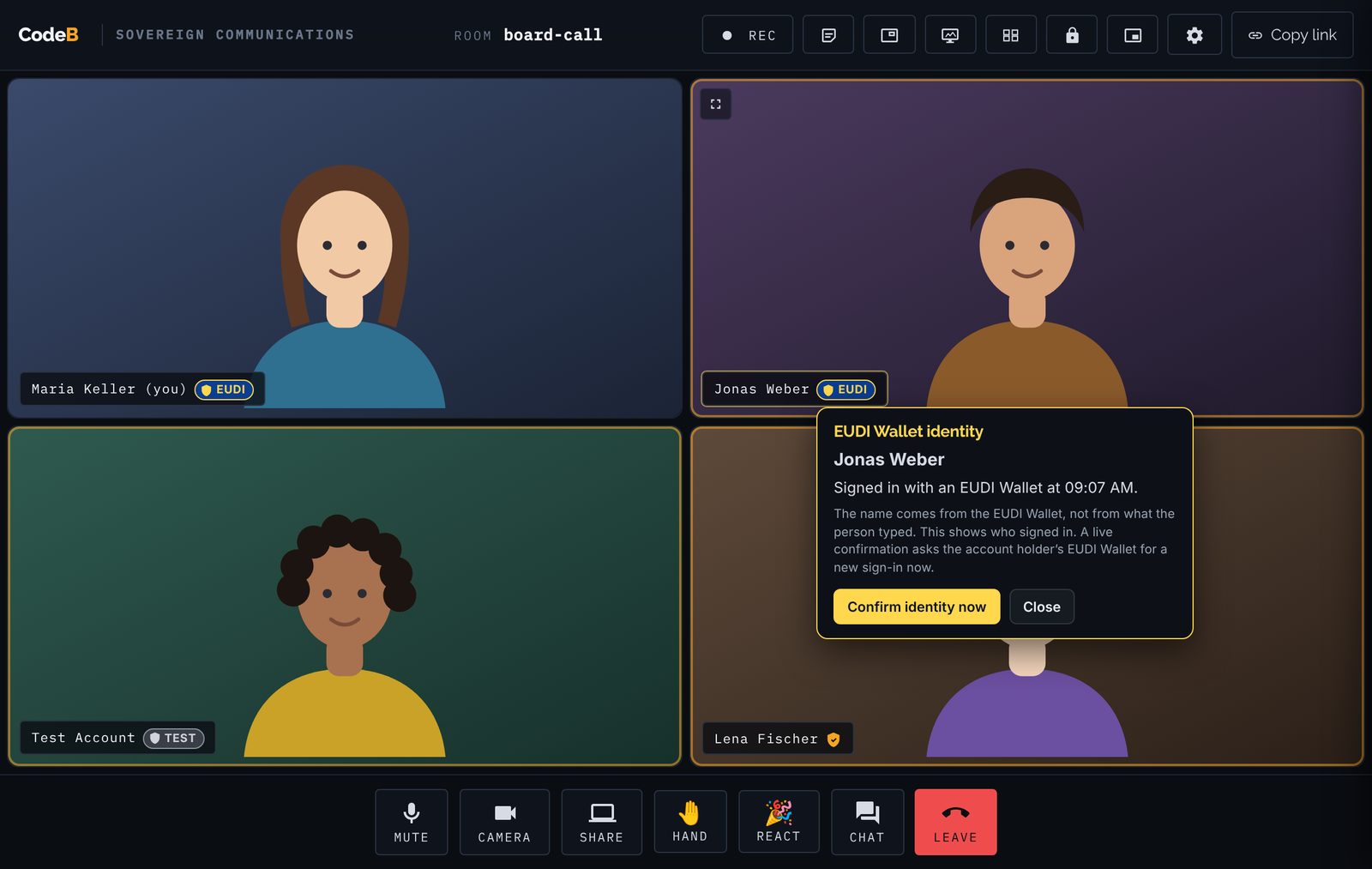
The badge sits next to the name on the video tile. Click it to see where the name comes from and when the person signed in.
A blue EUDI badge next to the name. The page draws it from what the server checked – a manipulated video stream cannot draw it.
The name on the tile is taken from the wallet sign-in, not from the name field. While the badge is shown, the name cannot be changed.
After a successful live check the badge gets a green ring for ten minutes, and everyone sees “confirmed a new sign-in with their EUDI Wallet”.
Sign-ins with a test credential get a grey TEST badge instead. They are clearly not a confirmed identity.
Participants who signed in with a password, passkey or the organisation’s sign-in keep the amber CodeB shield.
Four steps, no extra app for the other participants.
On the meeting page choose Sign in, then the EU Wallet. Scan the QR code or open the wallet on the same phone and confirm with your fingerprint or PIN.
You come back to the meeting. The EUDI badge and the name from your identity appear on your tile – for everyone.
Anyone can click the badge to see the name, where it comes from and when you signed in.
Before a payment, a contract or sensitive data, anyone can ask you to confirm. Your wallet asks for a new sign-in; everyone sees “confirmed at 14:31”.
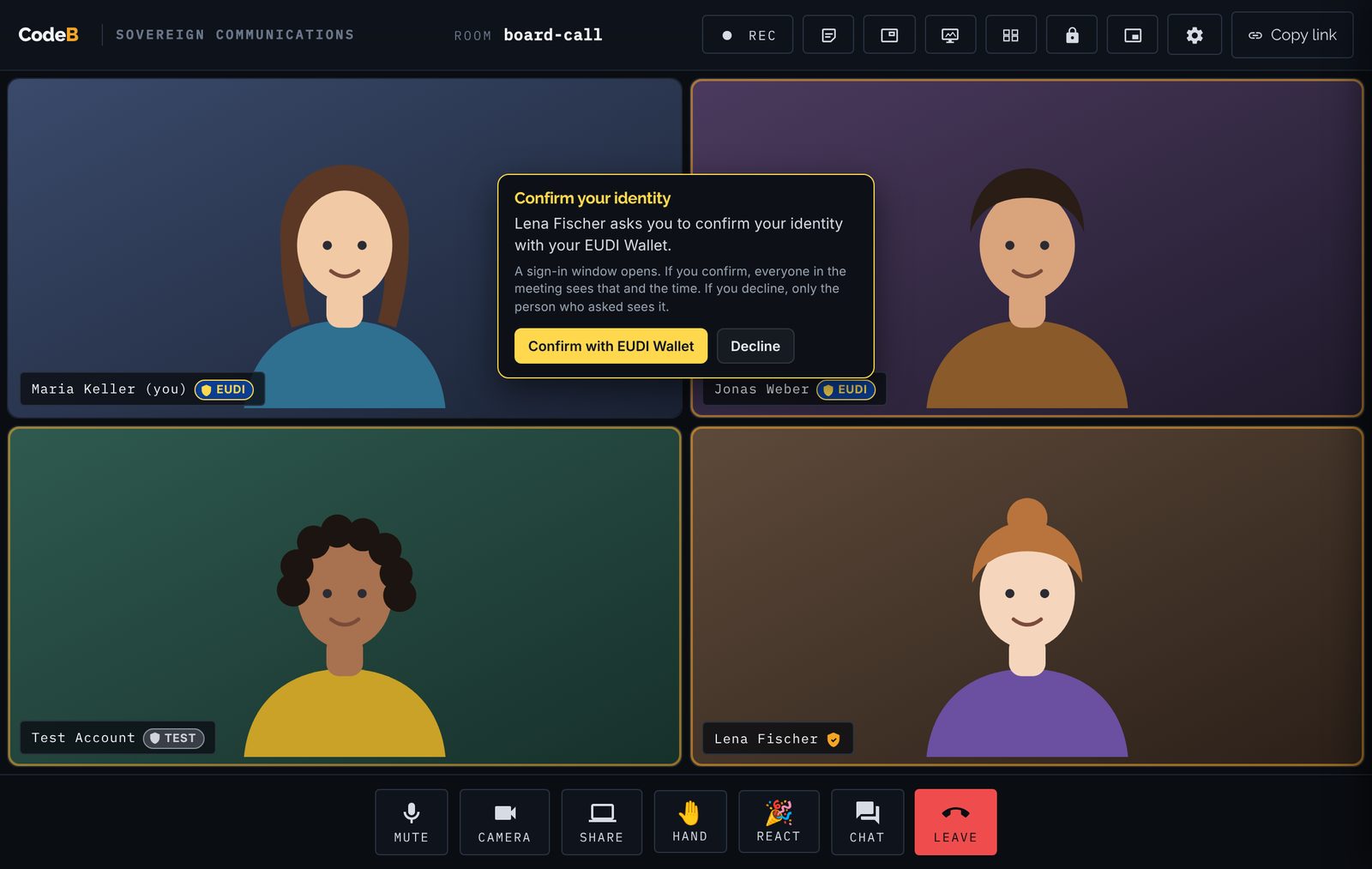
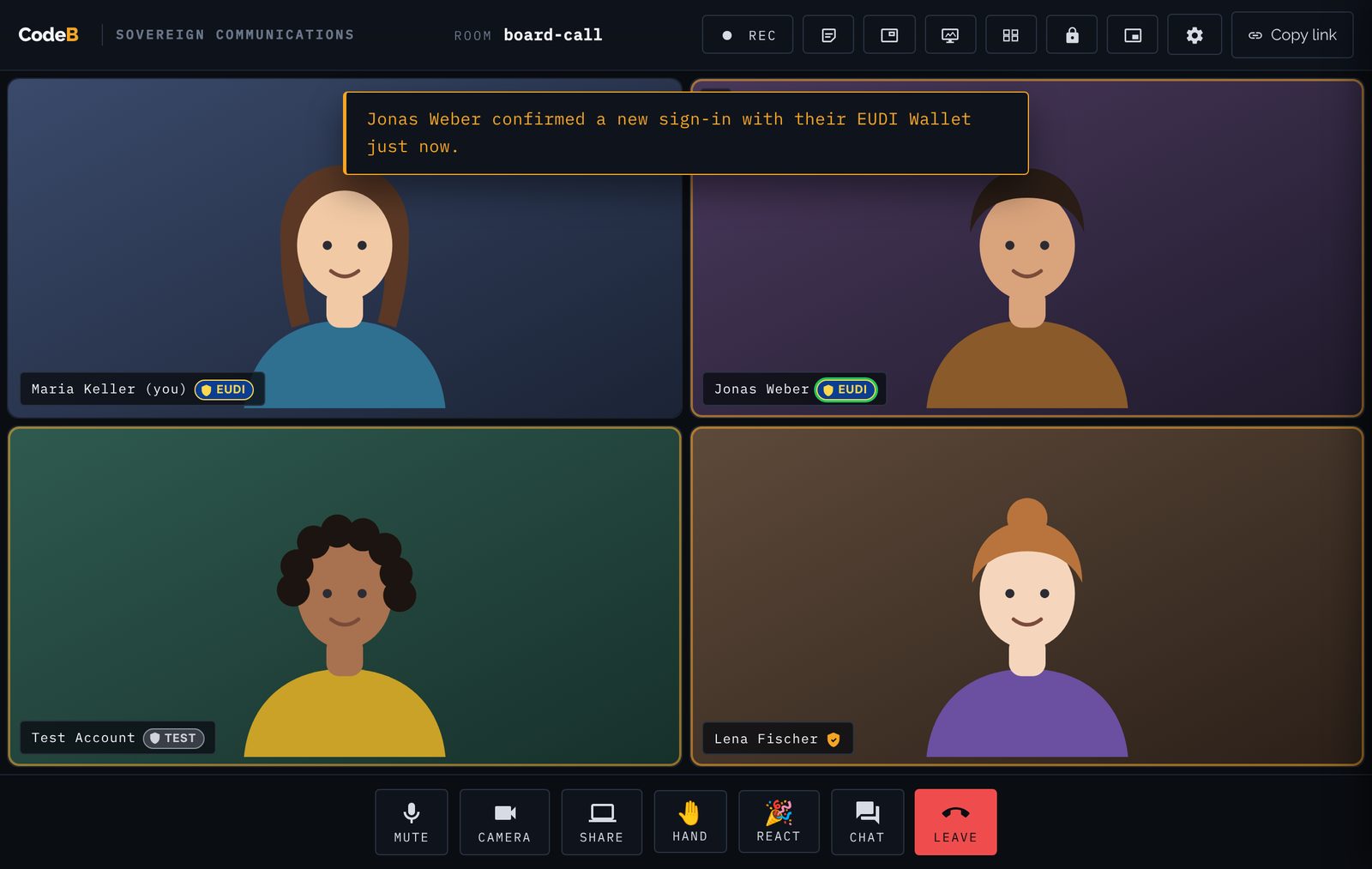
Real-time face and voice cloning makes video calls easy to fake. A fake can look and sound right – but it does not have the real person’s phone.
Cloned faces and voices are good enough to fool colleagues in a live call. Watching the video is no longer proof of who you talk to.
The EUDI Wallet key sits in the secure hardware of the phone and works only with the owner’s fingerprint or PIN. A live confirmation needs exactly that.
The badge comes from the meeting server’s checks and is drawn by the page next to the video. Nothing in the video stream can create or copy it.
The badge shows who signed in, and a live check shows that the account holder’s wallet confirmed just now. It does not analyse the face on camera. For decisions with real consequences, ask for a live confirmation right before them.
| Typical meeting tools | CodeB with the EUDI Wallet | |
|---|---|---|
| Name on the tile | Typed freely | From the identity (PID or passport / ID card check), cannot be changed |
| Identity check | None, or an e-mail address | EUDI Wallet sign-in with the person identification data (PID) |
| Check during the call | Not possible | “Confirm identity now”, result for everyone |
| Data shown | Display name | Name, sign-in time and result – nothing else |
| Hosting | Vendor cloud | EU-hosted or your own server, one tenant per site |
Stop “fake boss” calls: confirm the identity live before money moves.
Know that the candidate or customer on camera is the person they claim to be.
Lawyers, tax advisers and notaries can see who they advise.
Telemedicine with a verified patient or doctor.
Citizen appointments by video with a verified name.
Confidential decisions only with verified participants.
The participant signed in with an EUDI Wallet within the last 12 hours, and the name on the tile comes from their identity: the PID of the wallet, or a passport / ID card check of the account. The name cannot be typed or changed during the meeting.
No system can promise that from the video alone. The badge proves who signed in. A live confirmation proves that the account holder’s EUDI Wallet confirmed a new sign-in just now – something a deepfake cannot do without the real person’s phone and fingerprint or PIN. CodeB does not analyse the video.
Choose Sign in on the meeting page, then the EU Wallet, and confirm in your wallet. You come back to the meeting with the badge. It is valid for 12 hours after the sign-in.
EUDI Wallets that hold a PID (person identification data) accepted by the site, including the CodeB Wallet.
Your name, that you signed in with an EUDI Wallet, the time of the sign-in and the result of any live check. Nothing else from your wallet.
A live check during the call. The person asked gets a request, signs in again with their EUDI Wallet, and everyone sees the confirmation and the time. A participant can be asked once every two minutes.
Only the person who asked sees that you declined. Your badge stays as it is.
The participant signed in with a test credential. It is useful for trying the feature, but it is not a confirmed identity.
No. Guests join with a link as before. They simply have no badge.
Start a meeting, sign in with the EUDI Wallet and share the link.
Who are you really talking to? The US$25 million deepfake call and what helps.
Video, audio and screen sharing in the browser – no app for guests.
How the wallet sign-in works and what it proves.
The EUDI Wallet app for Android.
Agents prepare – people approve and sign in the EUDI Wallet.